Team and roles
Everyone on your team signs in with their own email and works in the same business. There are two roles.
| Owner | Operator | |
|---|---|---|
| Customers, leads, estimates, jobs, schedule, invoices and messages | Yes | Yes |
| Confirm Zelle payments | Yes | If the owner turns on Can verify payments |
| Reverse a confirmed payment | Yes | No |
| Settings, Plan & Billing, business page and business number | Yes | No |
| Team, availability hours and the Zelle payee | Yes | No |
The person who creates the account is its owner. Everyone you invite joins as an operator; see Invite a tech to add someone. Operators see all of the business's work, not only the jobs assigned to them.
Manage your team
In the sidebar, click Settings and go to Team Members.
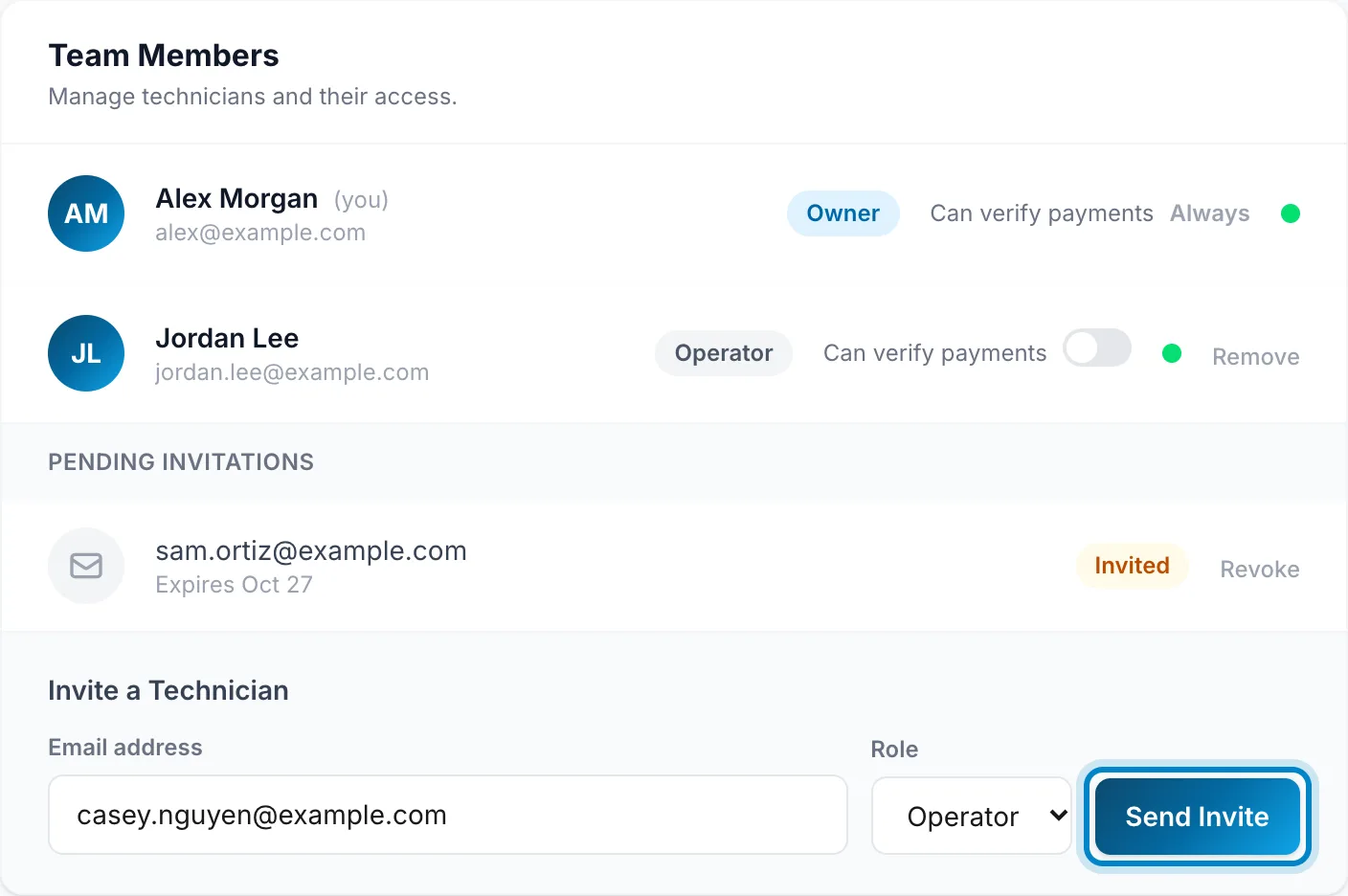
- Can verify payments lets an operator confirm Zelle payments in the payments queue.
- Remove takes someone off the team. They can't sign in any more, and the jobs and notes they worked on stay with the business.
- Revoke cancels an invitation that hasn't been accepted.
You need a connection for this.
Tap More, then Settings, then Team.
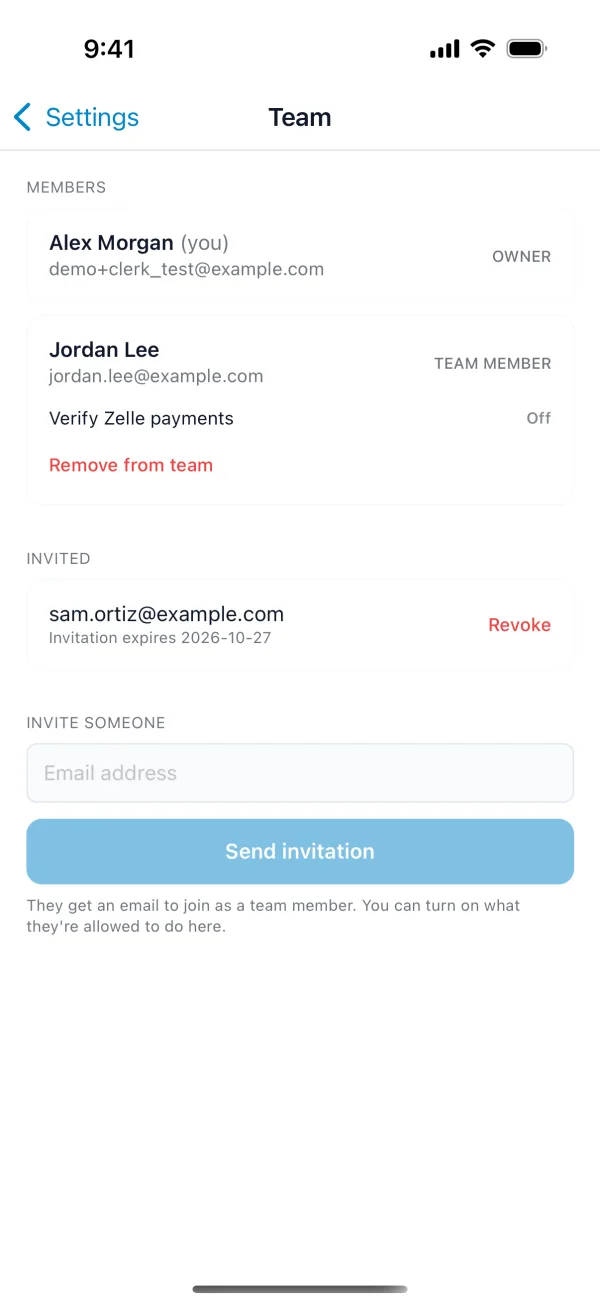
- Verify Zelle payments lets an operator confirm Zelle payments.
- Remove from team takes someone off. They can't sign in any more, and the jobs and notes they worked on stay with the business.
- Revoke cancels an invitation that hasn't been accepted.
You can't remove yourself or another owner. To hand the business over to someone else, email support@getfieldos.app.
Your plan sets how many people can be on the team, you included: one on Free and Starter, five on Pro, and no limit on Business.