Request payment
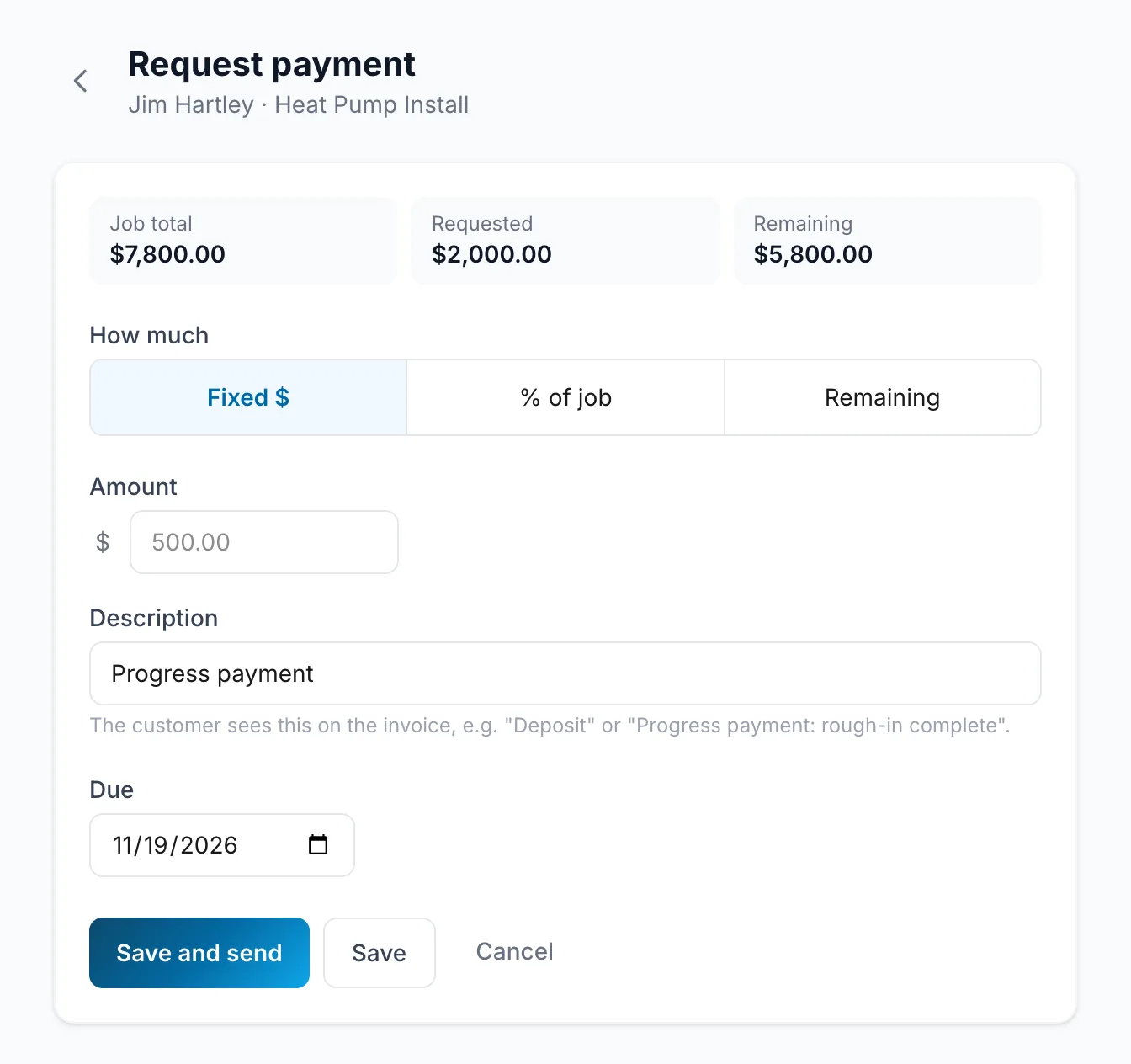
Request payment bills part or all of a job. Choose how much, and FieldOS makes the invoice and can send it at the same time.
- Open the job and click Request payment.
- Under How much, choose Fixed $, % of job or Remaining.
- Fill in the amount and a Description the customer will see, like "Deposit".
- Click Save and send, or Save to send later.
- Open the job and tap Request payment.
- Choose how much, add the description, and tap Save and send or Save.
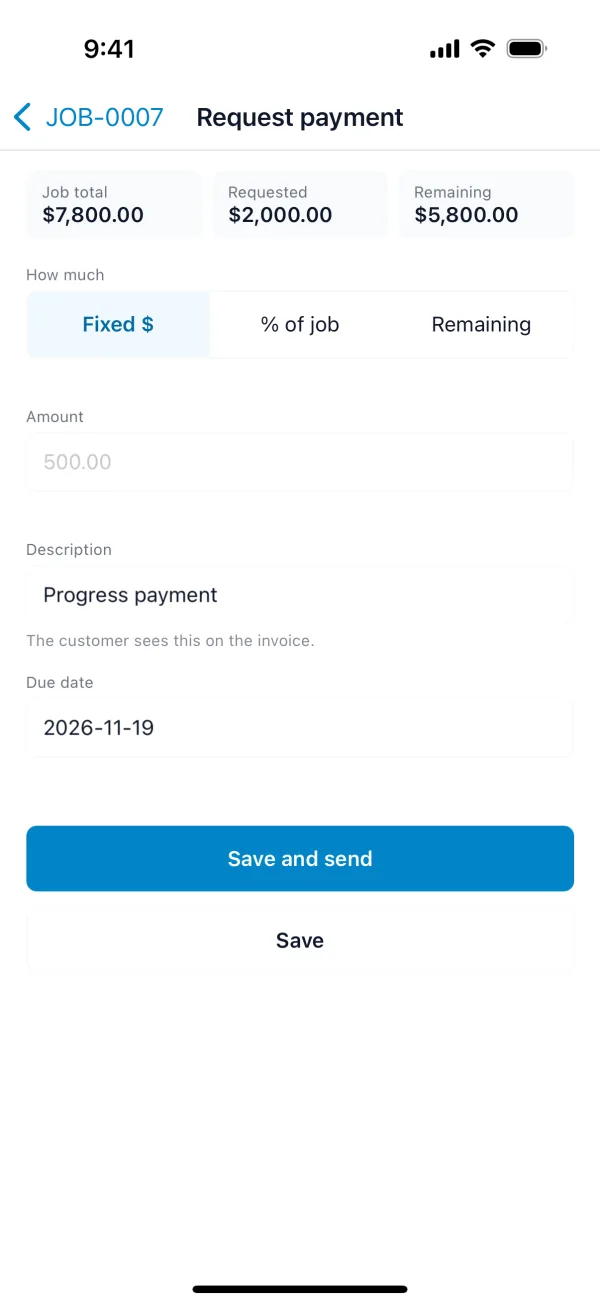
The top of the screen shows the Job total, what's been Requested so far, and what's Remaining. Remaining makes the final invoice, with earlier deposits and progress payments taken off.