Create your account
Your FieldOS account is your business. Everyone you invite works in it with you, each with their own sign-in.
- Go to getfieldos.app/sign-up.
- Sign up with your email address, or with your Google or Apple account.
- You land on your dashboard, on the Free plan.
Your business starts out named after you. Change the name, and add your phone number and address, in Business details.
Create your account on the web first. Then, on your phone:
-
Open FieldOS. (Not installed yet? See Install the phone app.)
-
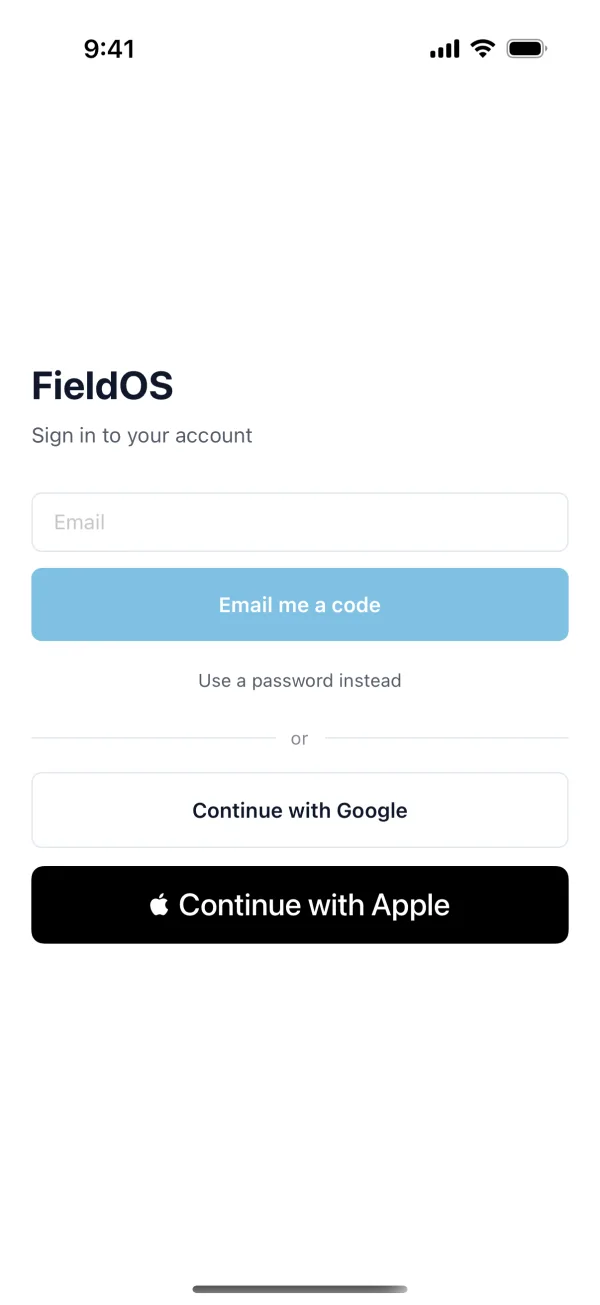
Enter the email you signed up with and tap Email me a code, or tap Continue with Google or Continue with Apple.
Joining someone else's business
If the owner of a business invited you, sign up with the email address the invitation was sent to. You join their business instead of getting a new one of your own. See Invite a tech.