Invite a tech
Everyone on your team signs in with their own email. You choose whether each person can confirm Zelle payments.
Your plan sets how many people can be on the team, you included: one on Free and Starter, five on Pro, and no limit on Business. A pending invitation holds a place until it's accepted or expires.
- In the sidebar, click Settings.
- Under Team Members, enter their Email address.
- Click Send Invite.
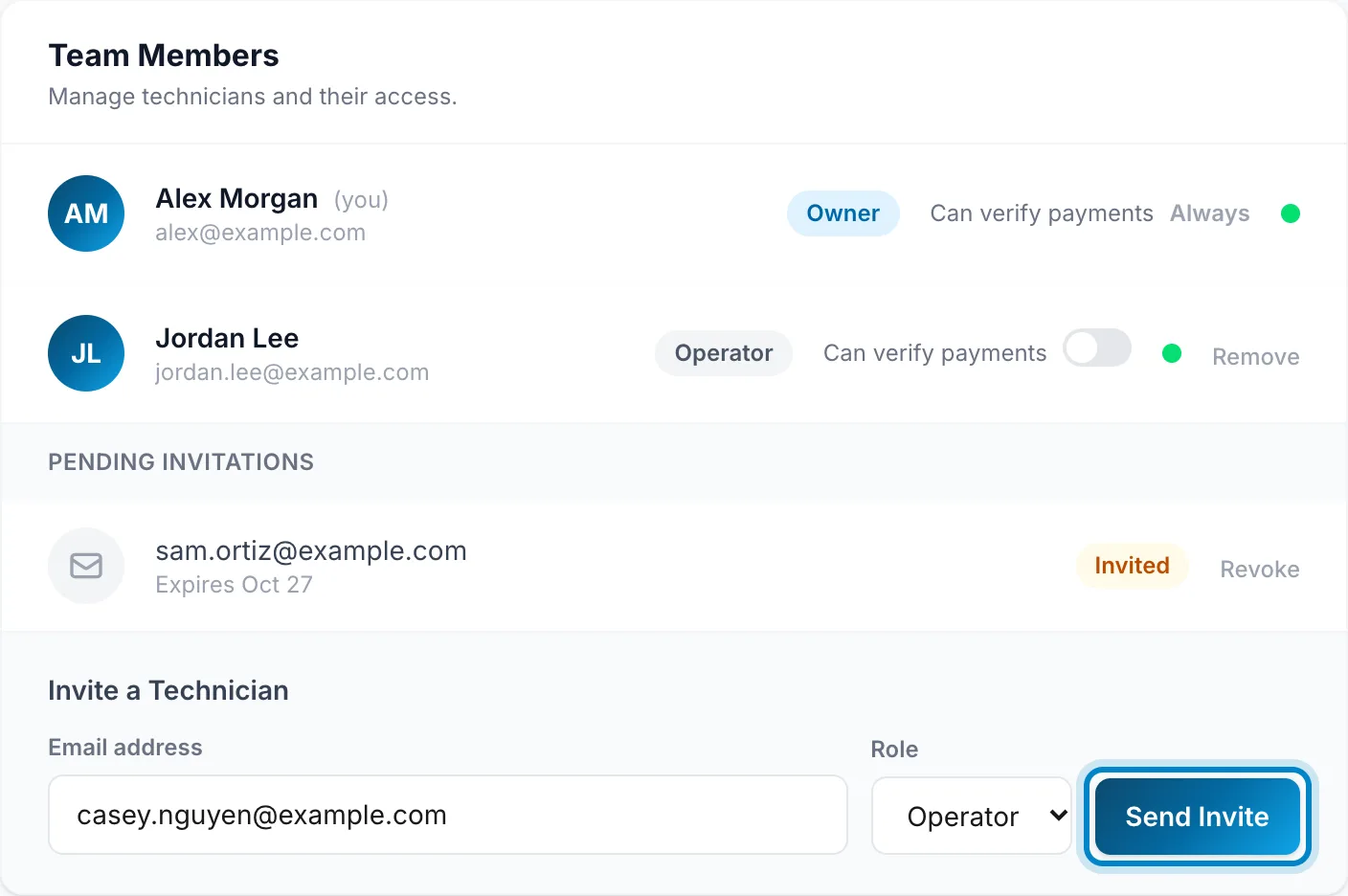
The invitation shows under Pending Invitations until they join, and expires after 7 days. Click Revoke to cancel it.
Turn on Can verify payments for anyone who should confirm Zelle payments. Owners always can.
You need a connection for this.
- Tap More, then Settings, then Team.
- Under Invite someone, enter their email address.
- Tap Send invitation.
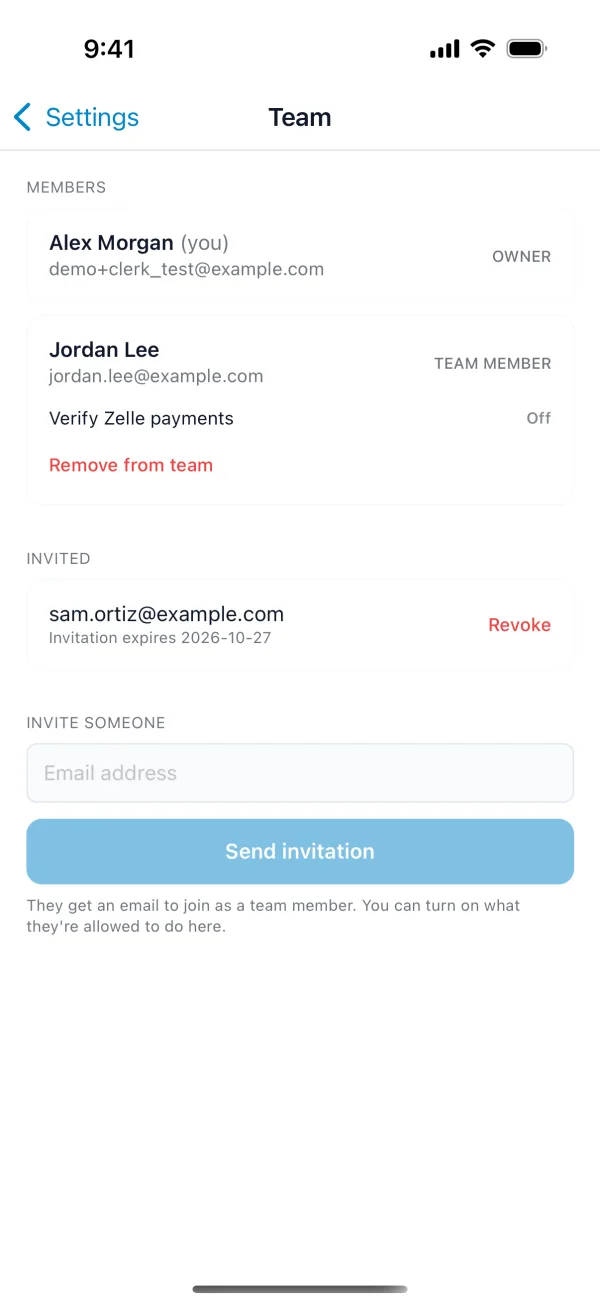
Turn on Verify Zelle payments for anyone who should confirm Zelle payments. Revoke cancels an invitation, and Remove from team takes someone off.
They get an email. To join, they sign up with that same email address; see Create your account.