Your business page
Starter and up
Owners only
Web only
Your business page is a web page FieldOS hosts for you, at
getfieldos.app/b/your-business. It shows what you do and where, and its
Request service button opens your request form, so new requests land in
your leads (see Capture leads). It's useful if you
don't have a website, and it's needed for a
business number.
- In the sidebar, click Settings, then Business page → at the top.
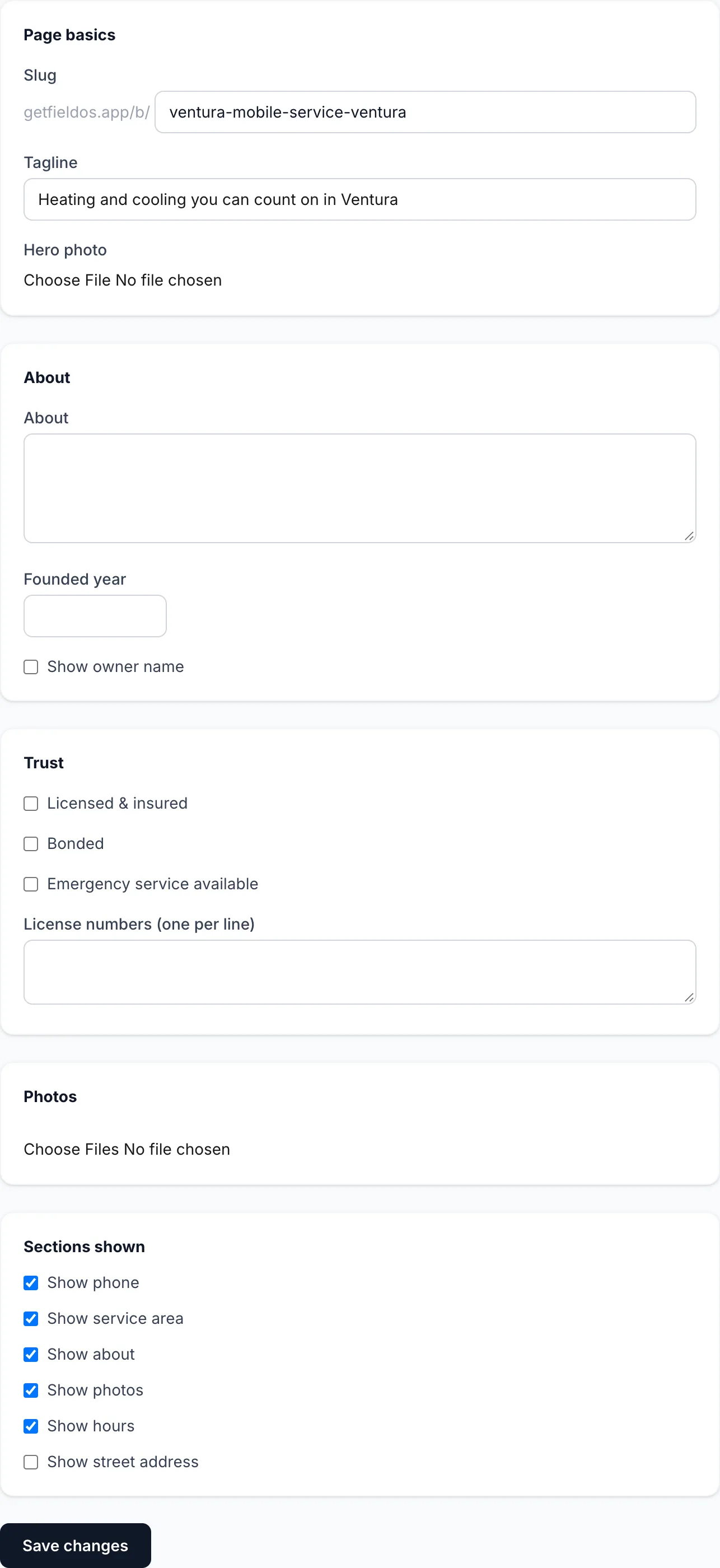
- Fill in the sections you want:
- Page basics: the page's address, a tagline and a hero photo.
- About: a few lines about your business and the year you started.
- Trust: licensed and insured, bonded, emergency service, and your license numbers.
- Photos of your work.
- Sections shown: choose whether to show your phone, street address, service area, about, photos and hours.
- Click Save changes.
- Click Publish when you're ready. Until then the page is a draft and nobody else can see it. Once it's published, the preview beside the editor shows the live page.
To publish, the page needs a business name, a phone number, and at least one service. Your services, hours and service area come from Business details and Add your services, so change them there.
Click Unpublish to take the page down. Your content is kept, and Publish puts it back.