Confirm payments
When a customer says they've sent Zelle, the payment waits for someone to check it arrived. Until then the invoice isn't marked paid.
Owners can always confirm payments. Turn on Can verify payments (on the phone, Verify Zelle payments) for anyone else who should; see Invite a tech.
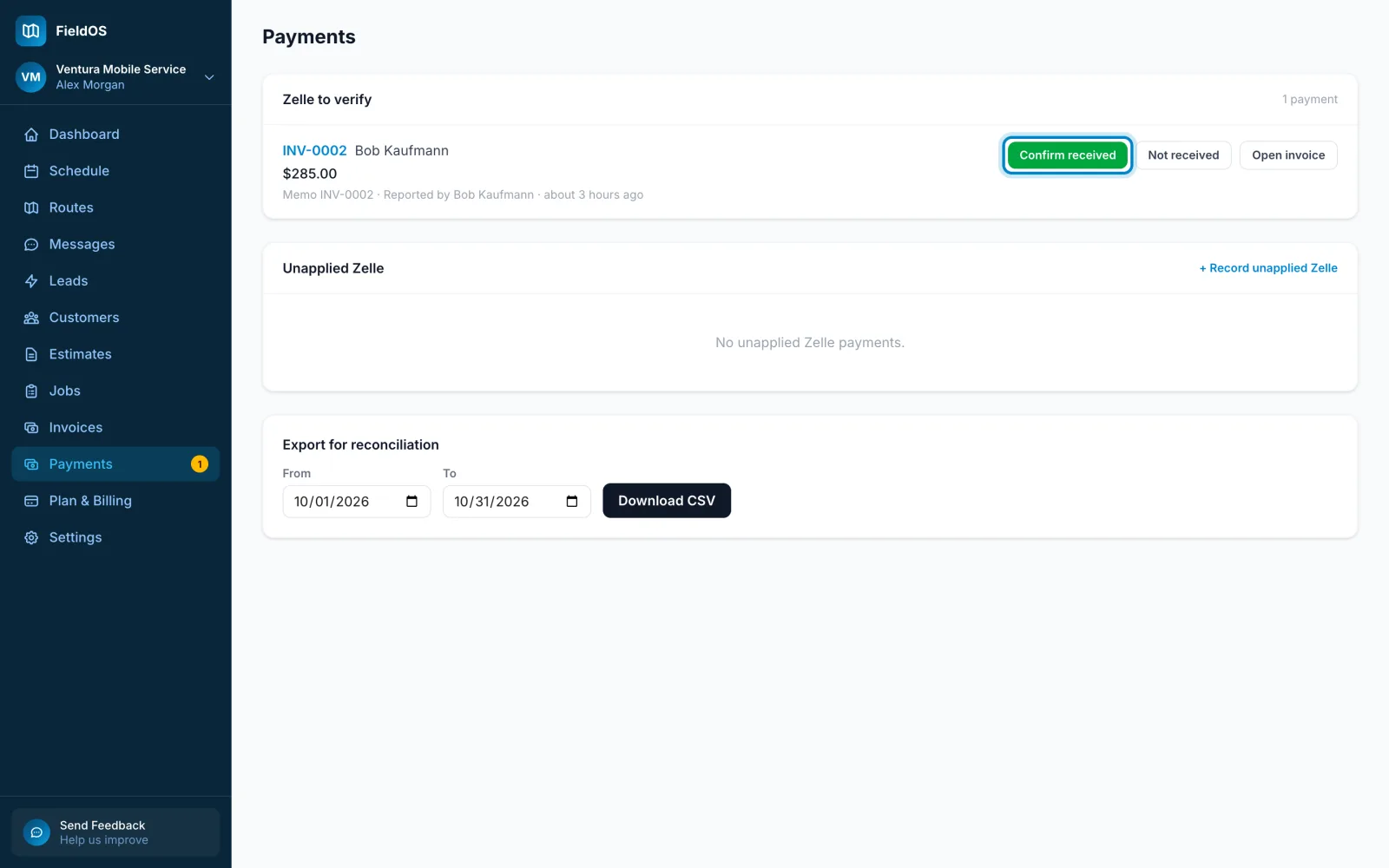
- In the sidebar, click Payments.
- Under Zelle to verify, check each payment against your bank.
- Click Confirm received, check the amount and the date it arrived, and click Confirm received again. Or click Not received, give a reason, and click Mark not received.
- Tap More, then Zelle to verify.
- Tap Confirm received or Not received on each payment.
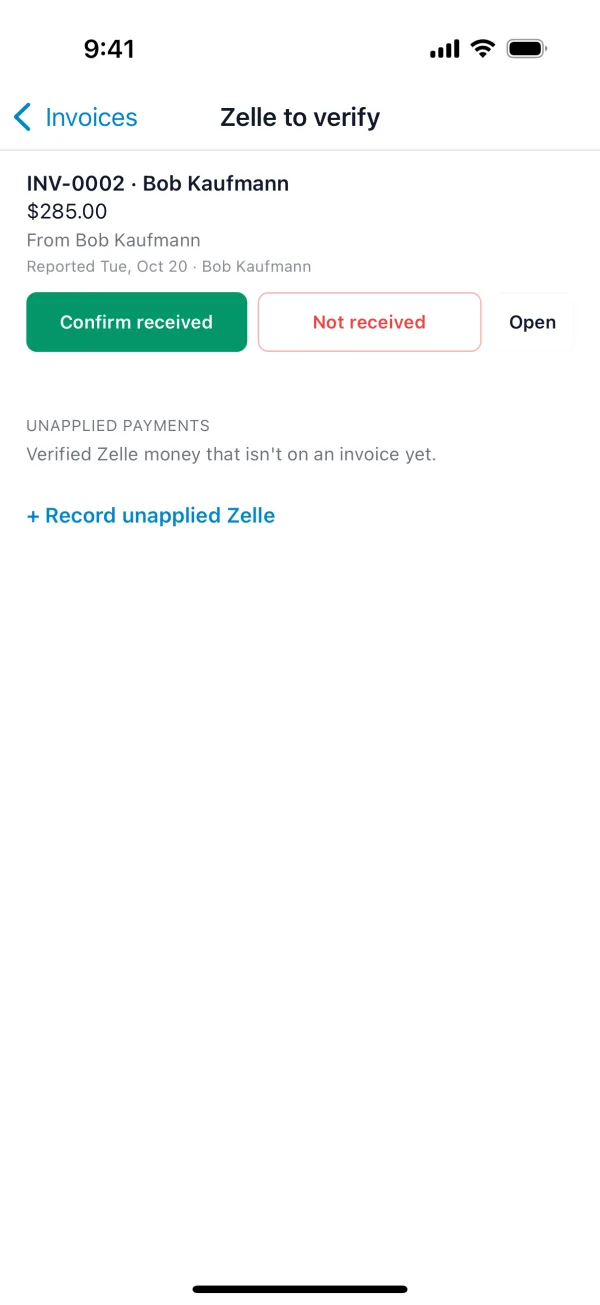
Zelle that arrived without a matching report goes under Unapplied Zelle, where you can assign it to an invoice. Export for reconciliation downloads a CSV for your bookkeeping.