Schedule a visit
Each visit has a day, a time and a length. A job with nothing scheduled yet shows Find a time; a scheduled one shows Reschedule.
- Open the job.
- Click Find a time or, in the Schedule card, Reschedule.
- Pick one of the Suggested times, or click a slot on the calendar.
- Click Schedule job.
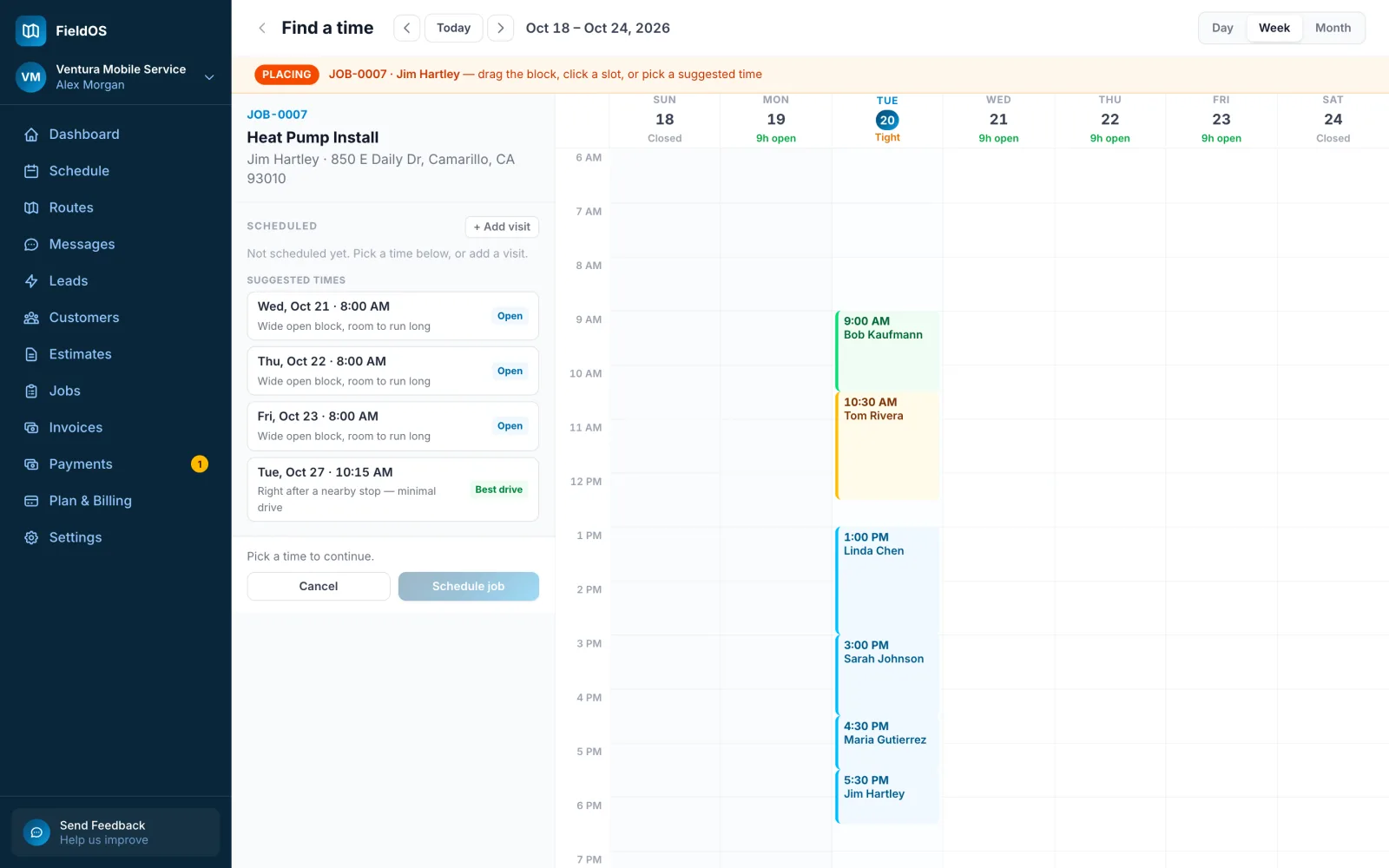
For work that takes more than one trip, click + Add visit and schedule each one.
-
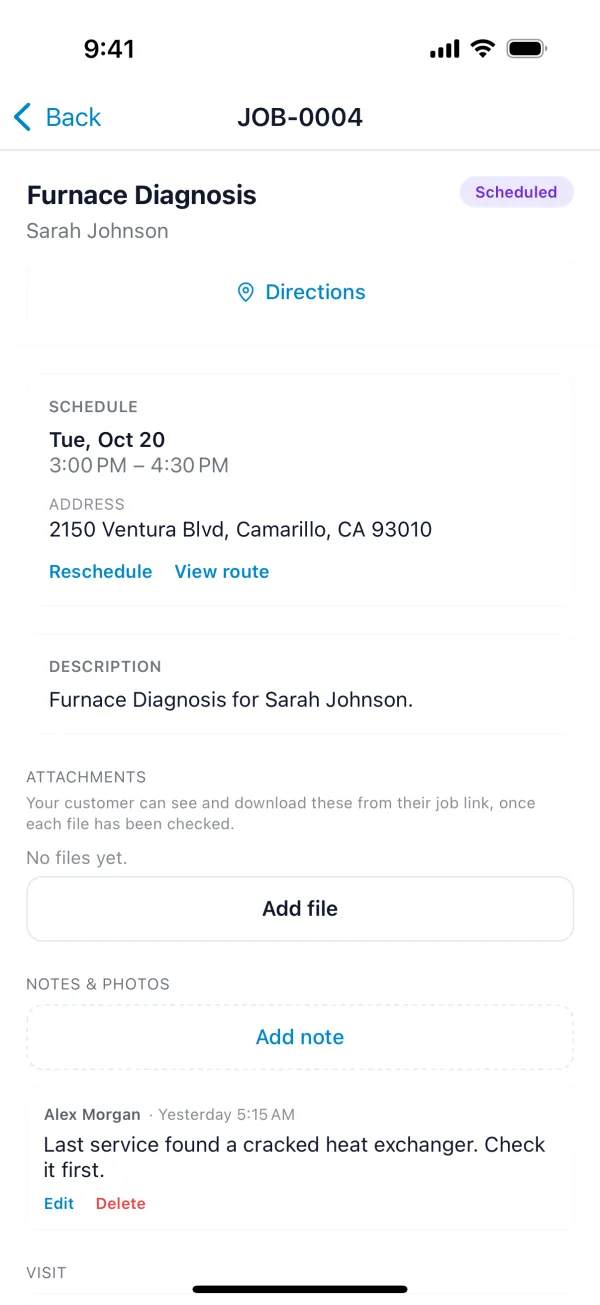
Open the job.
-
Under Visit, tap Reschedule (or Find a time on a job that isn't scheduled yet) and pick the day and time.
-
Choose the visit's length, and who's going.
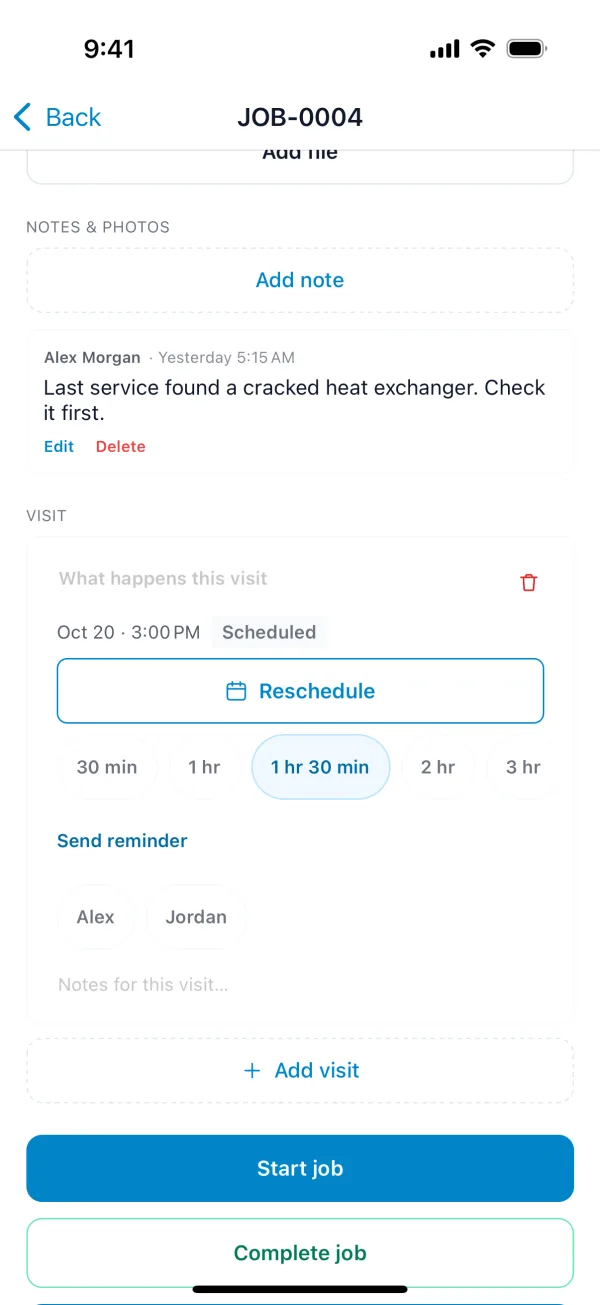
For work that takes more than one trip, tap Add visit.