Find a time
Find a time shows your week with the job you're placing, suggests times it fits, and labels each day: Fits when one opening holds the whole visit, or Tight and Closed when it doesn't.
- Open the job and click Find a time (or Reschedule).
- Pick one of the Suggested times, click a slot, or drag the job's block on the calendar.
- Click Schedule job.
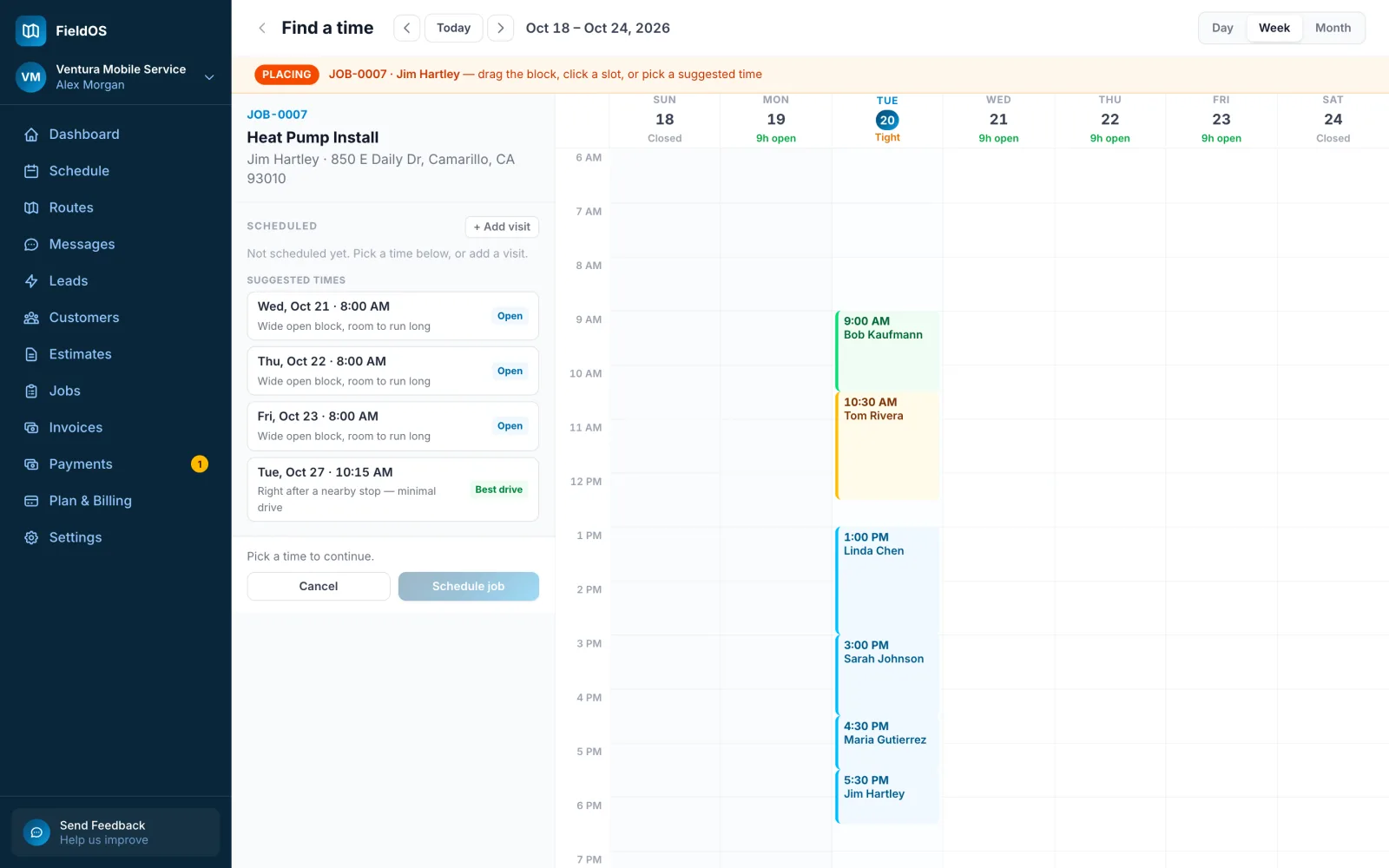
For a job with more than one visit, place each visit in turn; the next one is suggested after the one before.
- Open the job and tap Find a time (or Reschedule).
- Tap a suggested time, or a day and then a time on the calendar. Use −15m and +15m to adjust.
- Tap Schedule visit.
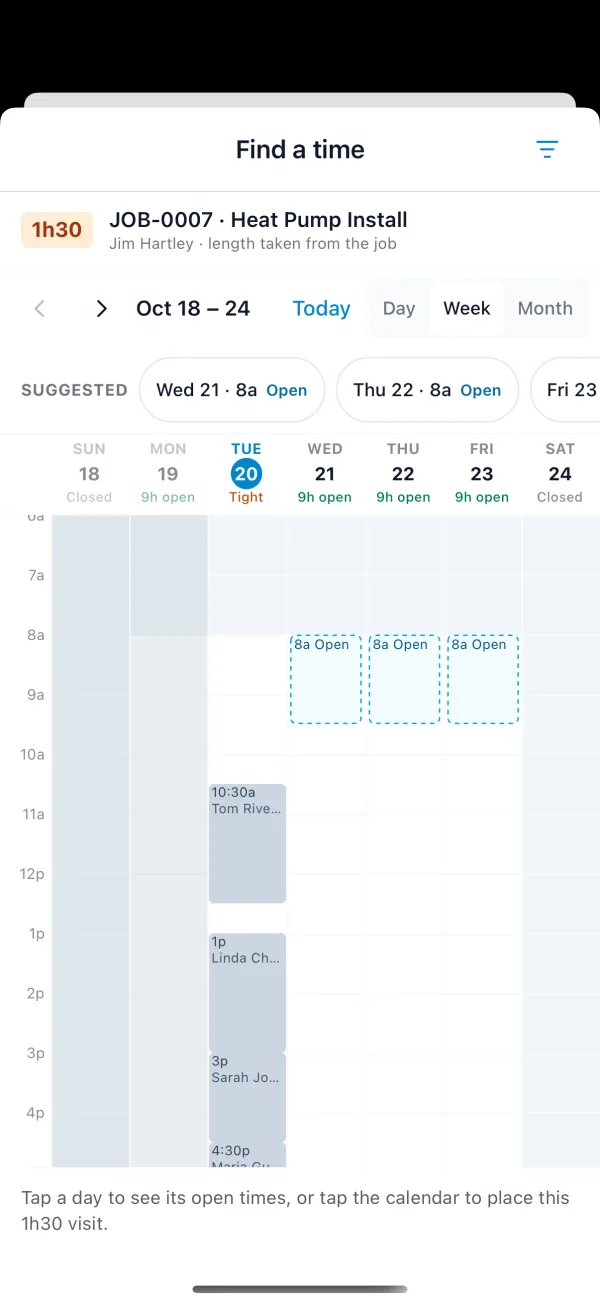
Narrow the suggestions with the filter button: Work hours, Less driving or Mornings only. Suggestions need a connection.