Zelle
Customers send Zelle from their own bank, so FieldOS can't see the money arrive. They tell you they've sent it, and you confirm it once it's in your account. See Confirm payments.
Set it up
Only an owner can do this.
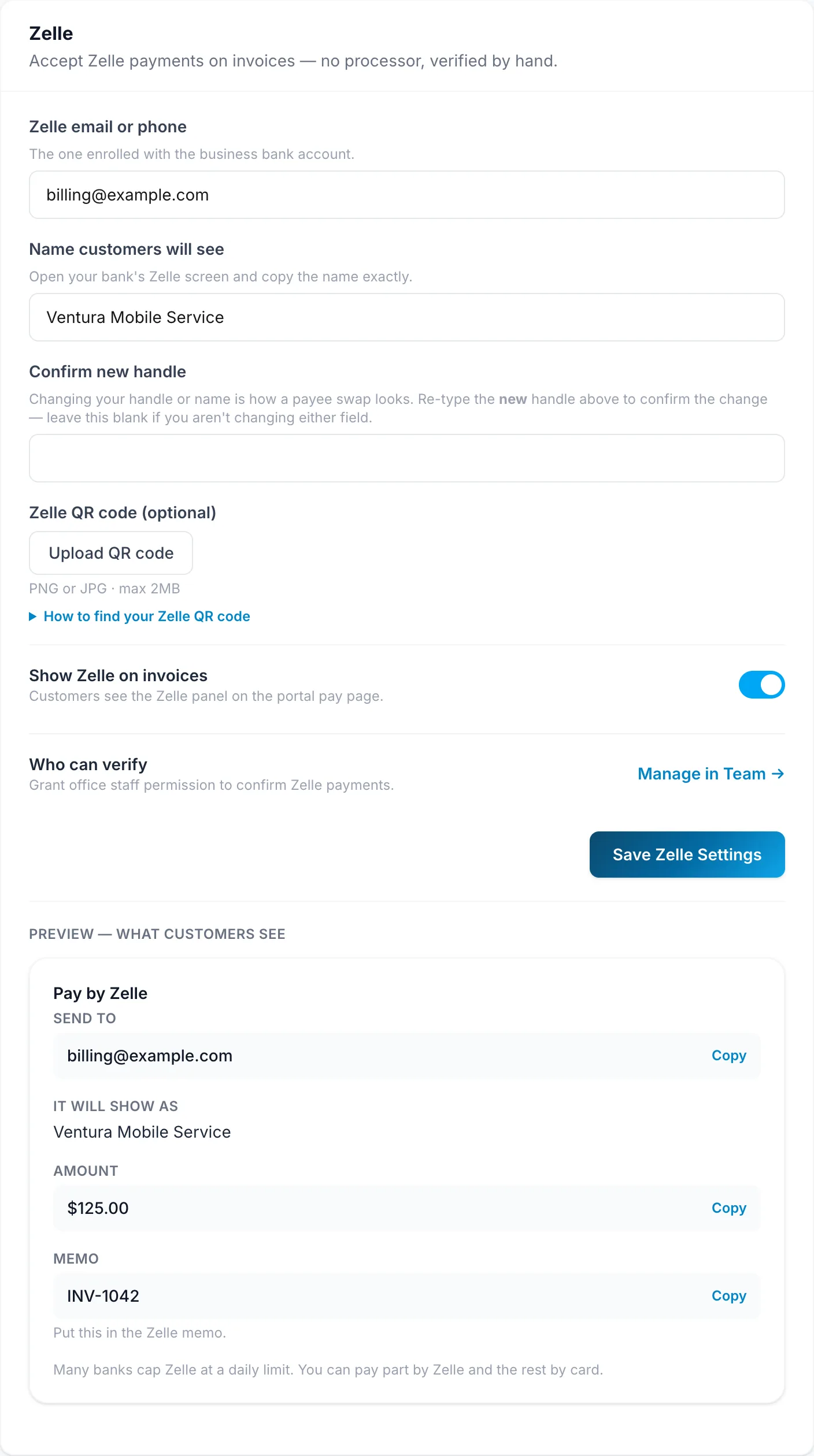
- In Settings, go to Zelle.
- Fill in Zelle email or phone and Name customers will see (as it appears in their banking app).
- Click Save Zelle Settings.
You need a connection for this.
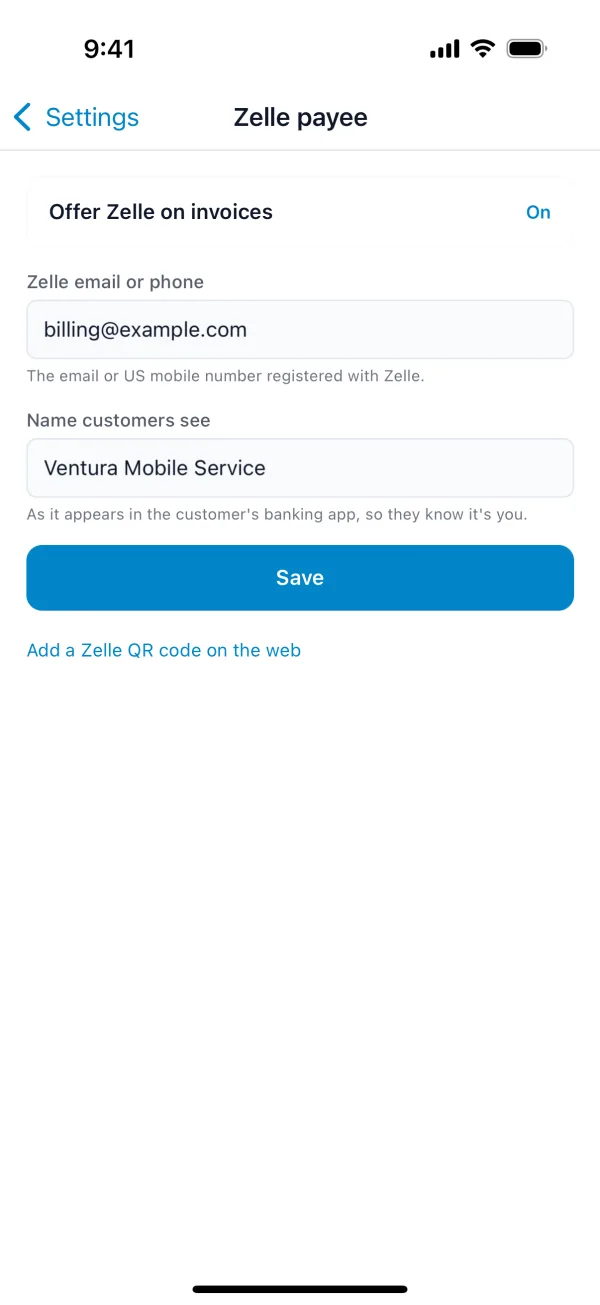
- Tap More, then Settings, then Zelle payee.
- Turn on Offer Zelle on invoices and fill in the email or phone and the name customers see.
- Tap Save.
To leave Zelle off one invoice, untick Show Zelle on this invoice on it.
How customers pay
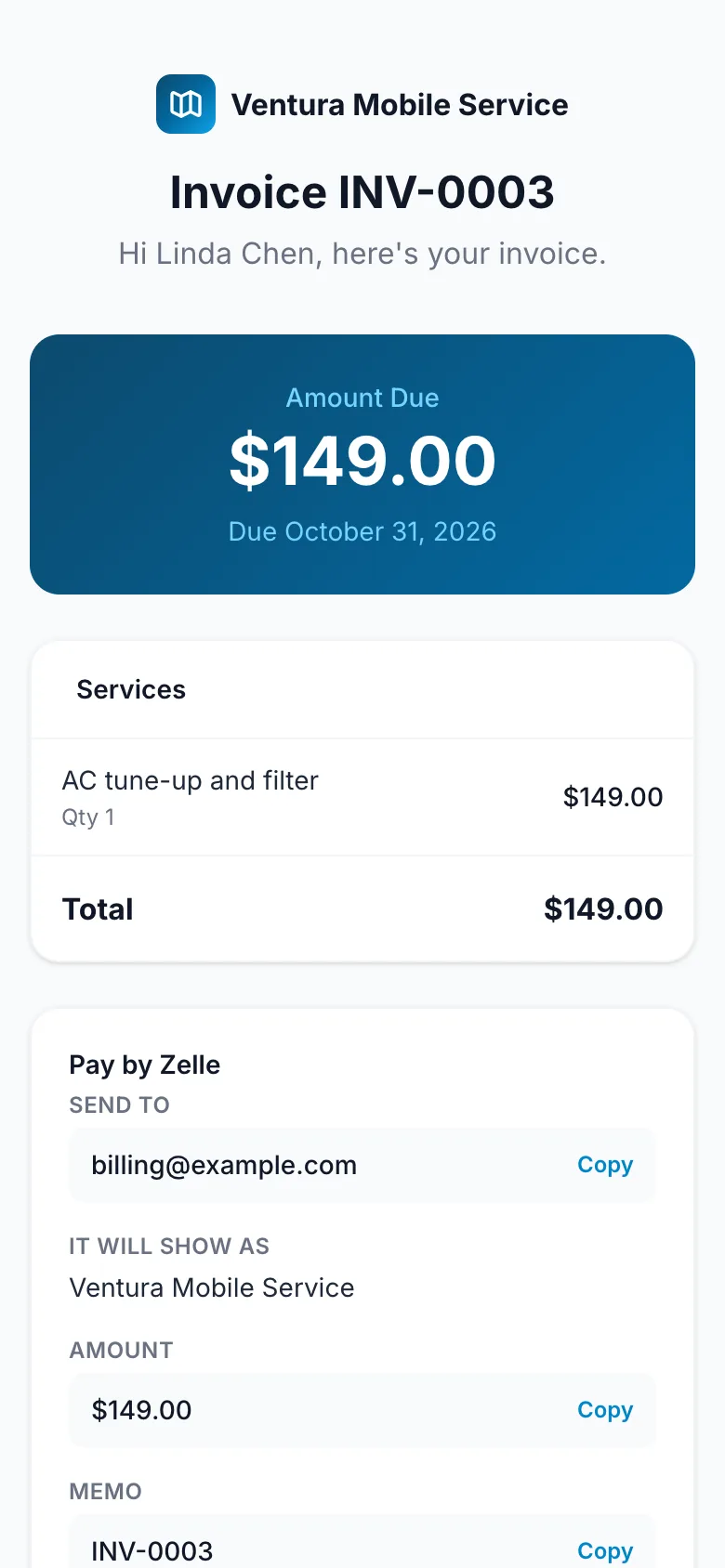
Their invoice shows Pay by Zelle: where to send it, the amount, and a memo to put in the payment. When they've sent it, they tap I've sent it.
On site, open the invoice on your phone and tap Collect with Zelle to show the customer the same details, with a QR code. If they pay there, tap Customer says they sent it. It works without a connection.