What your customer sees
When you send a customer an estimate, an invoice or a job update, they get a link by email or text. The link opens a page just for them. They don't need an account or a password, and it works on any phone or computer.
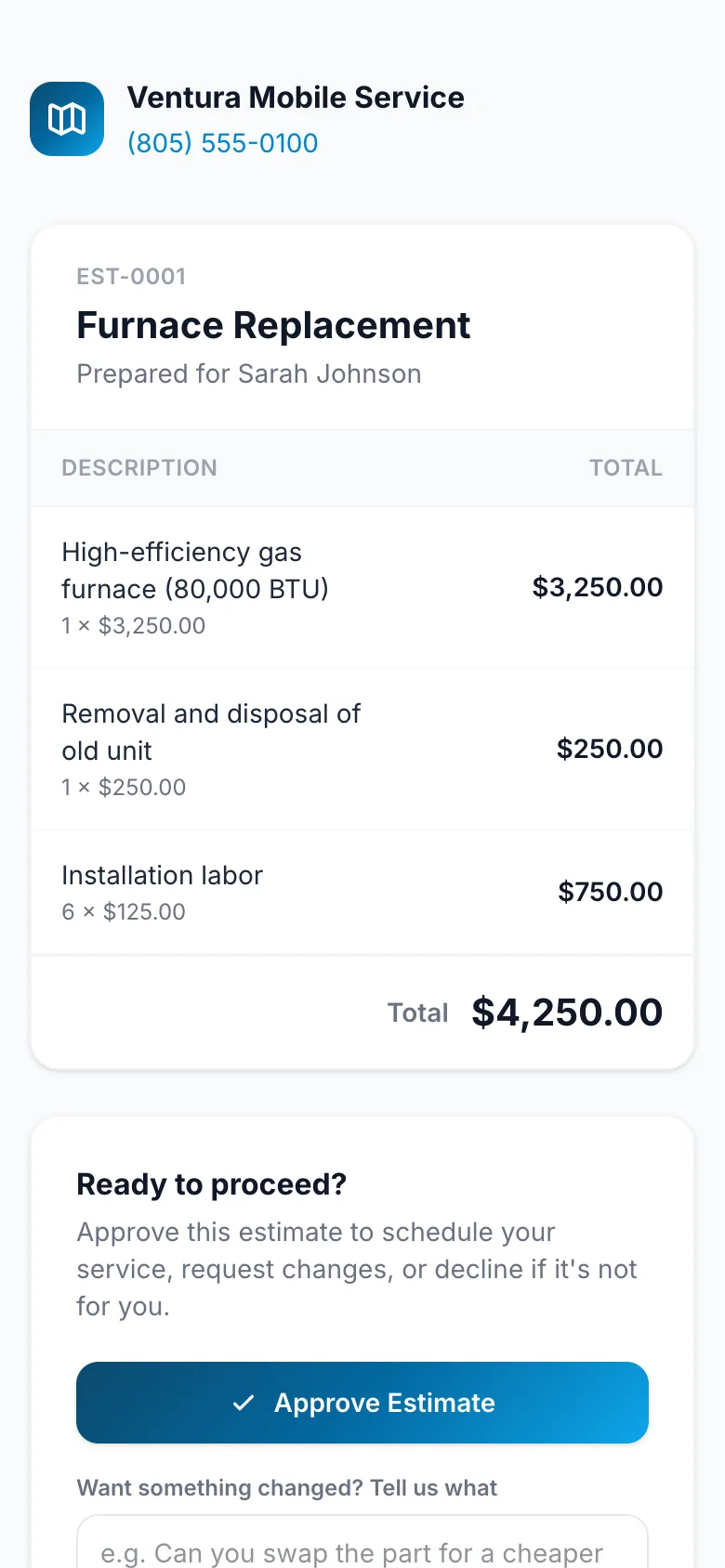
An estimate
The customer sees the line items, the total, and any notes and files you chose to share. They can:
- Approve Estimate. You can then turn it into a job.
- Request Changes, with a note saying what they'd like different.
- Decline, with a note if they want.
See Customer approval for what happens on your side.
An invoice
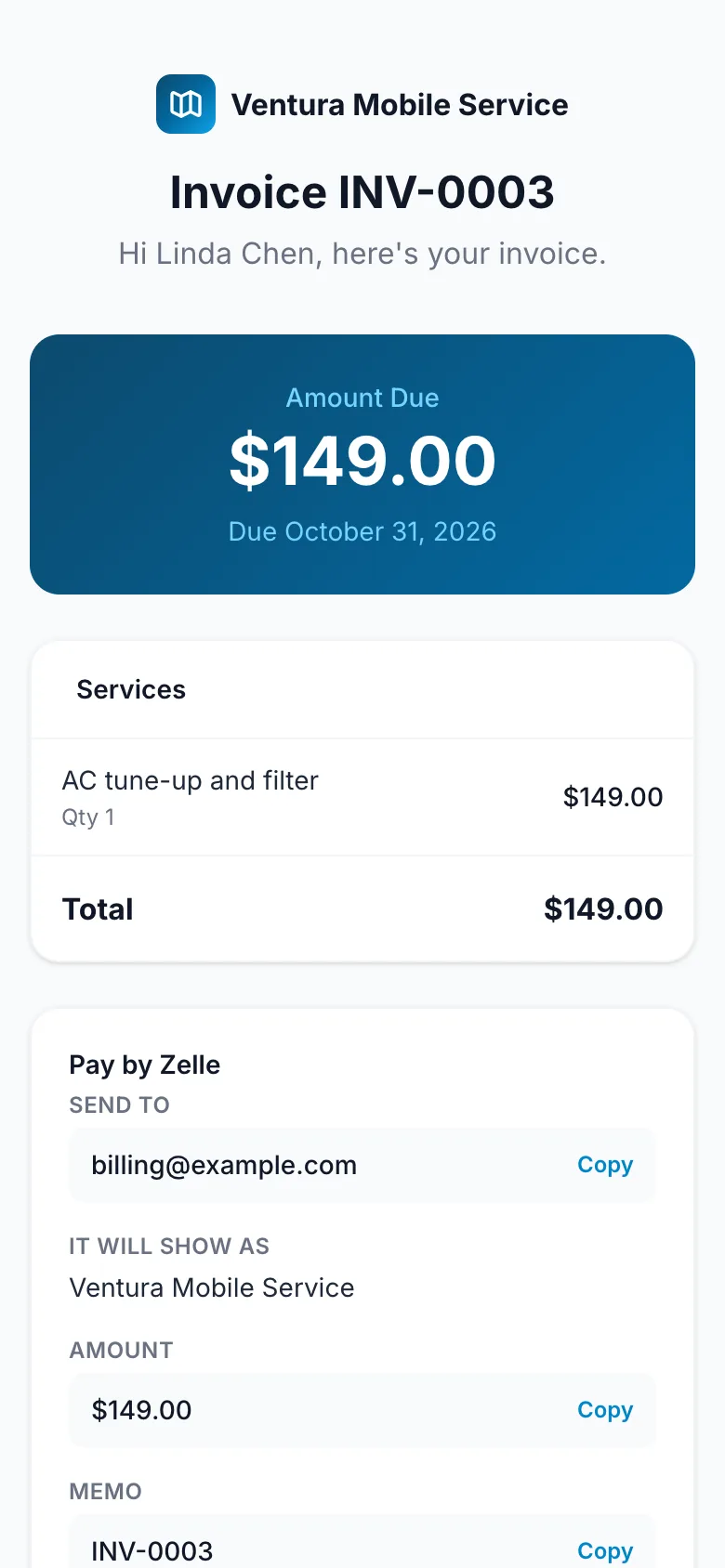
The customer sees what's owed, what's been paid so far, and how to pay:
- Pay by card, if you've connected Square (see Card payments with Square).
- Zelle, if you've turned it on, with your Zelle details and a button to say they've sent it (see Zelle).
- Otherwise, a note to contact you to arrange payment.
A job
The notes and photos you share on a job, so the customer can follow the work. See Job notes and photos. Internal notes never appear here.
Their messaging preferences
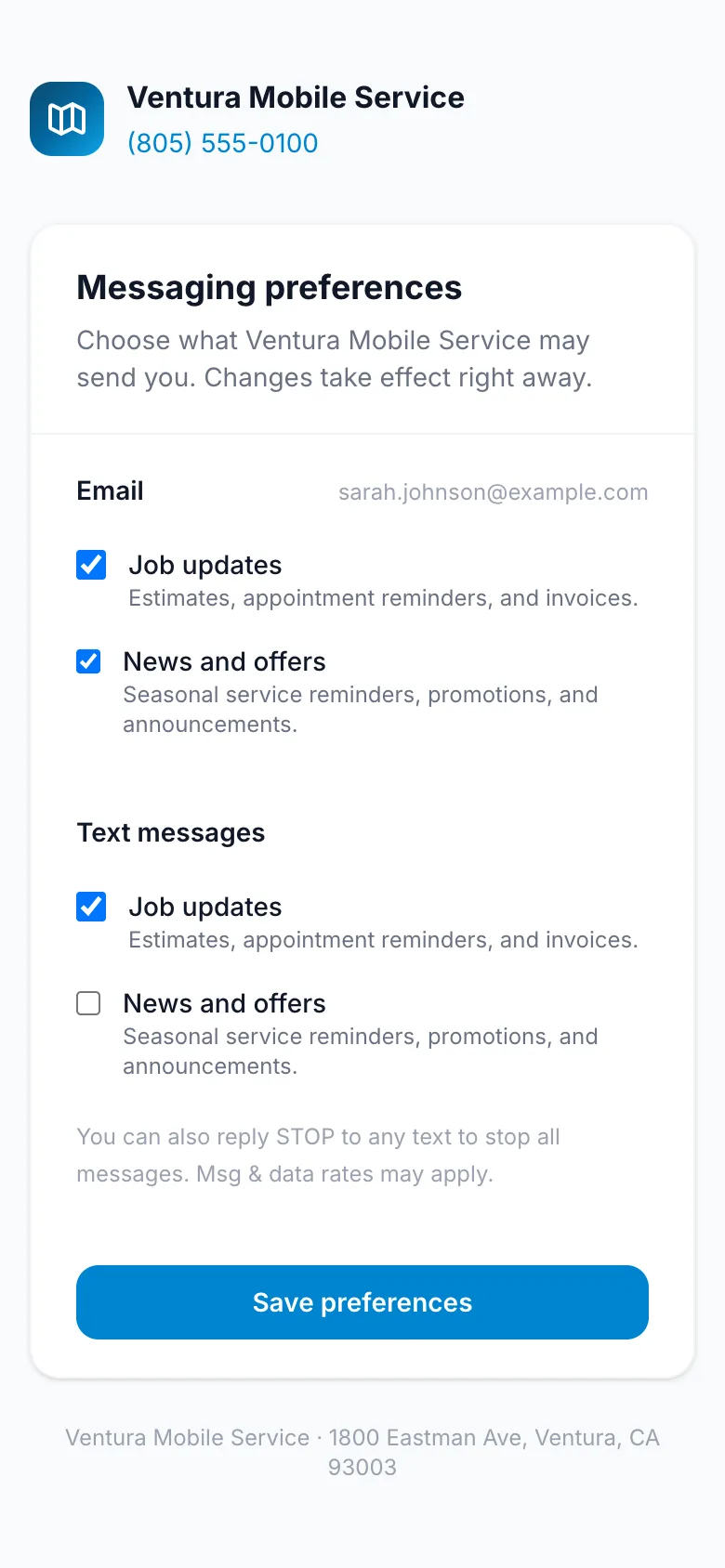
Emails from you end with Manage your messaging preferences, a link where the customer chooses which emails and texts they get: Job updates (estimates, appointment reminders and invoices) and News and offers. A customer can also reply STOP to any text.
Each page shows your business name and how to reach you.